Deployment
Move from a fixed OpenShift fleet to Knative scale-to-zero while keeping the agent endpoint stable.
1. Select a project
Cluster-admin access is needed only when installing the cluster-scoped Serverless operator.
2. Install OpenShift Serverless
The script applies the operator and Knative Serving resources, then waits for both to become ready.
3. Deploy the platform
Use ./deploy-openshift.sh native for a native build in a compatible build environment. The API key is stored in Secret/helios-openai; it is never baked into an image.
Install oc and jq before running the script. JVM images are built inside OpenShift from
the packaged applications, without local Podman. The script waits for each image build,
pins the Deployment to the published digest, and waits for readiness before continuing.
Build and rollout failures stop deployment instead of reporting success.
4. Prove horizontal scaling
The console distinguishes ready pods from the replicas observed serving requests.
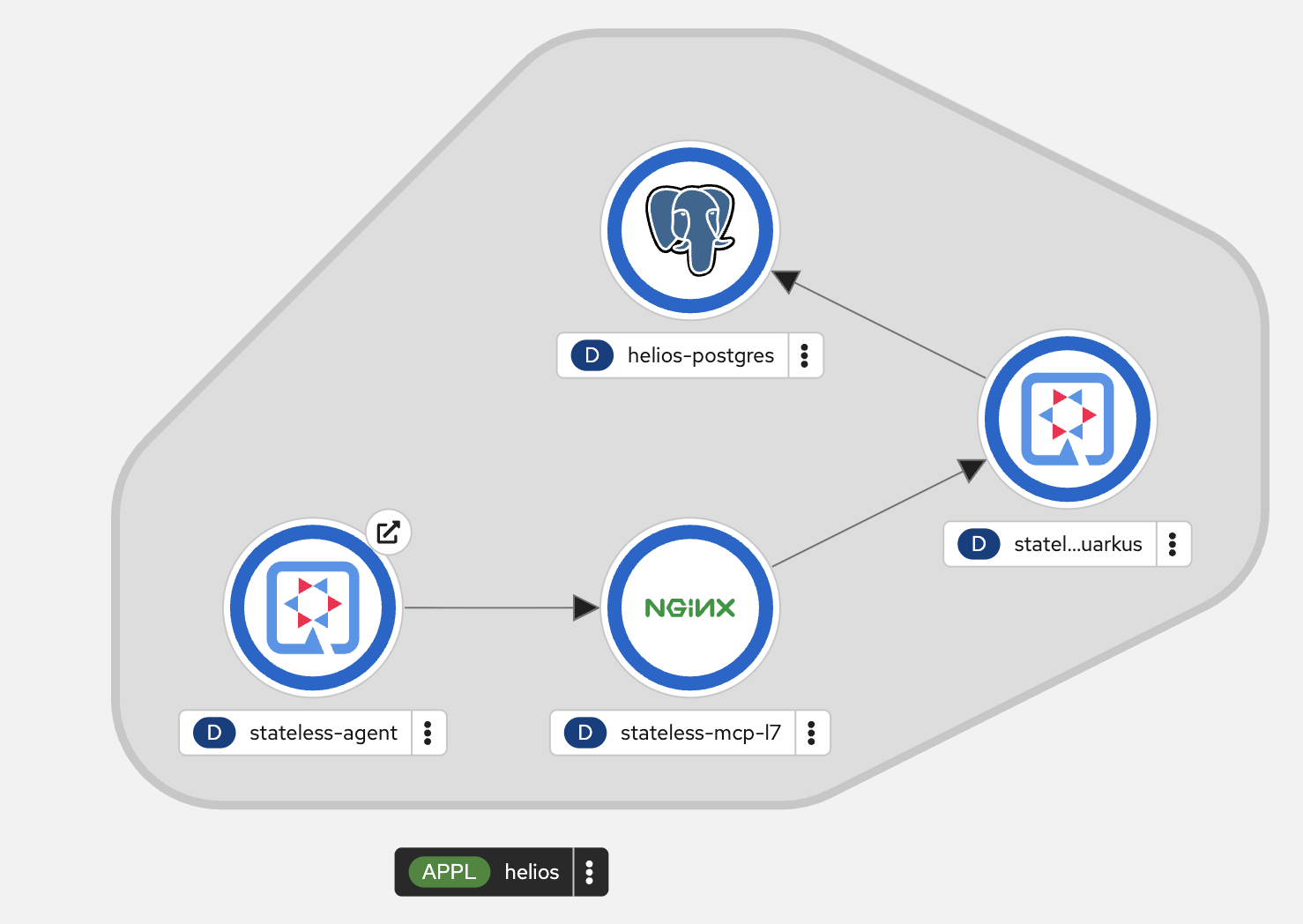
5. Switch to scale-to-zero
After the idle window, MCP pod count reaches zero. Passive readiness and instance polling do not wake the service. Invoke a tool in the console to cold-start it again.
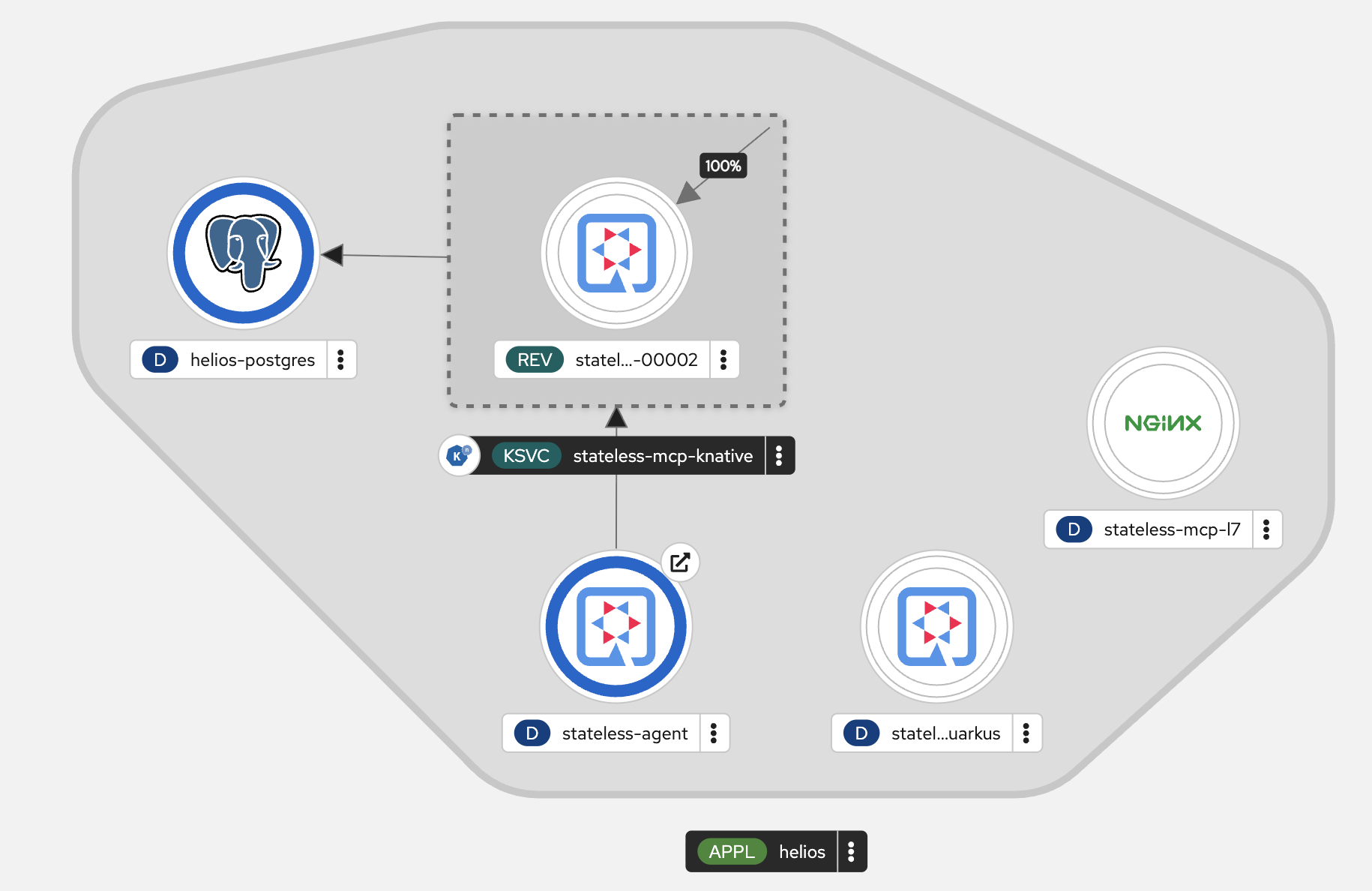
Return to the regular fleet and restore its previous replica count:
Conference demo sequence
Dev mode → five-replica local cluster → OpenShift fleet → Knative scale-to-zero.